

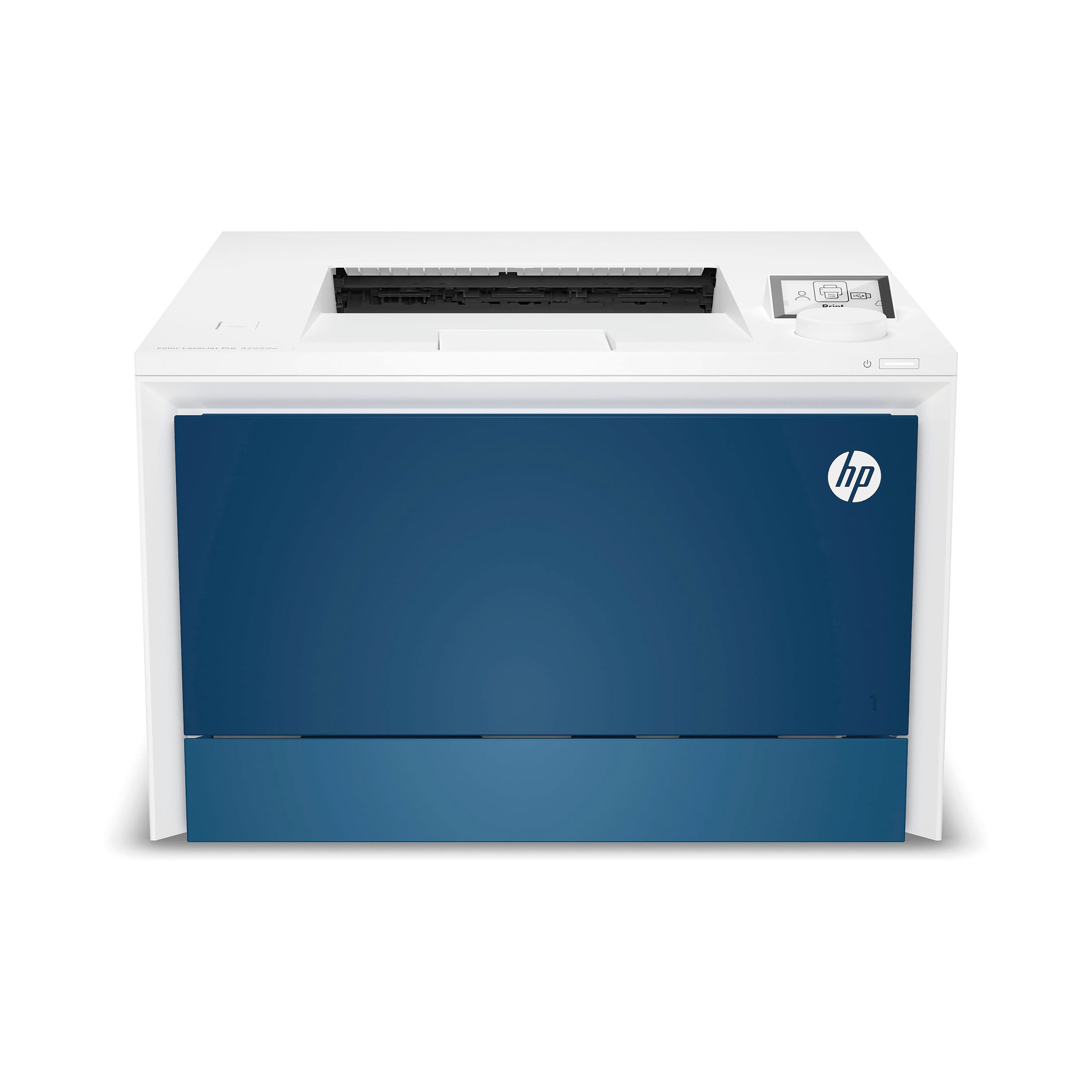
HP COLOR LASERJET PRO 4202DW PRNTR
$ 91.28
Description The HP Color LaserJet Pro 4202dw Printer is a professional-grade A4 colour laser printer designed to meet the demands of modern offices, workgroups and small businesses requiring dependable, high-quality colour and monochrome printing. It pairs robust laser printing technology with flexible connectivity, including wireless, Ethernet and USB support, enabling convenient shared access across diverse work environments. Built for consistent performance and integrated office workflows, the 4202dw delivers vibrant colour graphics, sharp text and automatic duplex output — ideal for reports, client proposals, marketing materials and internal documentation. With support for mobile printing and enterprise-level print languages, this printer supports both everyday office users and IT-managed deployments. Professional Workflow Explanation In a professional setting, the HP Color LaserJet Pro 4202dw supports a structured document workflow: 1. Document Preparation:Employees create reports, presentations and graphics using productivity or design software on desktop or mobile devices. 2. Connectivity & Deployment:The printer connects to the local network via Wi-Fi or Ethernet, making it accessible from desktops, laptops and mobile devices. Mobile printing protocols such as Apple AirPrint and Mopria are supported. 3. Print Configuration:Users select print preferences — page range, colour quality, duplex printing and paper type — using the print driver or application interface. 4. Laser Imaging Process:The printer uses precise laser technology: A laser writes the image onto a photosensitive drum. Toner is applied electrostatically. Heat and pressure fuse toner to paper. This process ensures consistent colour and crisp black-and-white output. 5. Output Handling:Printed documents are collected in the output tray for distribution, recording or client review, supported by automatic double-sided printing to reduce paper use. This workflow ensures reliable professional output while supporting collaboration and communication across teams. Key Features & Benefits Key Features Full-colour laser printing with consistent colour accuracy Fast print speeds for colour and monochrome documents Automatic duplex (double-sided) printing Multiple connectivity options: Wireless (Wi-Fi), Ethernet, USB Mobile printing support (HP Smart app, Apple AirPrint, Mopria) Professional print languages (PCL, PostScript) for advanced compatibility Wireless Direct support for device-to-printer printing Robust monthly duty cycle for sustained workload handling Benefits Produces high-quality professional documents suitable for external and internal use Duplex printing lowers paper costs and supports sustainability goals Flexible connectivity meets the needs of hybrid and mobile workforces Intuitive operation minimises setup time and increases productivity Fast throughput handles daily document volumes without bottlenecks Stable performance reduces downtime and ongoing support requirements Instructions for Use Unpack and Position:Remove all protective materials and place the printer on a stable surface with adequate ventilation. Install Toner Cartridges:Open the front access panel and insert the supplied toner cartridges (cyan, magenta, yellow and black) until they click into place. Connect to Power and Network:Connect the power cable and switch on the printer. Choose a network connection: Wi-Fi: Configure using the control panel or HP Smart app. Ethernet: Connect to your network router or switch. Install Drivers:Download and install the latest HP drivers and software from the official support site (support.hp.com/gb-en). Load Media:Adjust paper guides and insert the required media into the input tray. Configure Print Settings:Set preferences such as colour mode, duplex printing and paper type in the print driver or HP Smart app. Print Jobs:Send print jobs from connected devices, monitor toner levels via the interface, and replace cartridges when indicated. Refer to the official user manual for complete setup, safety and troubleshooting guidance. Comparison Table – HP Color LaserJet Pro 4202dw vs Alternative Products Feature HP Color LaserJet Pro 4202dw HP Color LaserJet Pro 3202dw Typical A4 Inkjet Printer Print Technology Colour Laser Colour Laser Inkjet Print Speed Up to 33 ppm (mono/colour) Up to 25 ppm Typically slower Duplex Printing Automatic Automatic Often manual Connectivity Wi-Fi, Ethernet, USB Wi-Fi, Ethernet, USB Wi-Fi, USB Mobile Printing HP Smart, AirPrint, Mopria HP Smart, AirPrint, Mopria Varies Monthly Volume 750–4,000 pages 100–500 pages Varies Best Use Busy office environments Small office / home office Home or occasional use The 4202dw is optimised for larger workloads with wireless networking and higher speed. The 3202dw is a similar option offering reliable output but at lower throughput. A typical inkjet printer delivers colour graphics and photos but has higher running costs and slower speed for text-heavy documents. Specification Sheet Model Name: HP Color LaserJet Pro 4202dwPrinter Type: A4 Colour Laser PrinterPrint Technology: LaserPrint Output: Colour and monochromePrint Speed: Up to 33 pages per minute (A4, mono and colour)Print Resolution: Up to 600 × 600 dpi (enhanced)Duplex Printing: Automatic double-sidedInput Paper Capacity: 250-sheet main tray 50-sheet multipurpose trayOutput Capacity: Up to 150 sheetsMemory: 512 MBConnectivity: Wireless (Wi-Fi), Ethernet, USB 2.0Mobile Printing Support: HP Smart app, Apple AirPrint, Mopria certifiedPrint Languages: PCL 5/6, PostScript, PDF, URF, PWG-RasterRecommended Monthly Volume: 750–4,000 pagesMaximum Duty Cycle: Up to 50,000 pagesCompatible Media Sizes: A4, A5, A6, B5, Legal, Custom sizesMedia Types Supported: Plain paper, recycled paper, envelopes, cardstock, labelsDimensions: Approx. 421 × 427 × 288 mmWeight: Approx. 16.33 kgIncluded in Box: Printer, starter toner cartridges, power cord, documentation For full technical details and up-to-date specifications, always consult the official HP product documentation. Frequently Asked Questions (FAQs) Is the HP 4202dw suitable for a busy office?Yes. With speeds up to 33 ppm and a recommended monthly volume of up to 4,000 pages, it is ideal for busier office environments. Can it print wirelessly?Yes. The 4202dw supports Wi-Fi connectivity alongside Ethernet and USB, enabling flexible deployment. Does it print double-sided automatically?Yes. Automatic duplex printing is included as standard, reducing paper use and manual handling. Can I print from a mobile phone or tablet?Yes. It supports mobile printing via HP Smart, Apple AirPrint and Mopria certified services. Where can I download drivers and software?Drivers, firmware updates and manuals are available on the official HP support site (support.hp.com/gb-en). Authoritative External Links HP UK Official Product Support and Drivers HP UK Colour LaserJet Pro Printer Range Which? Printer Buying Guide (UK) Energy Saving Trust – Office Equipment Guidance Summary & Conclusion The HP Color LaserJet Pro 4202dw Printer offers fast, reliable colour and monochrome laser printing with automatic duplex, multiple connectivity options and mobile printing support — making it suitable for busy offices, shared workstations and hybrid environments. With high throughput, robust media handling and HP’s professional print language support, it delivers professional output consistently while supporting efficient document workflows. Whether producing internal reports, client presentations or colour marketing materials, this printer combines performance, flexibility and value in a business-ready package that meets everyday office demands. HP Infographic https://online.nicheofficesolutions.co.uk/wp-content/uploads/2025/07/Streamline-Your-Office-with-Reliable-Printers.mp4 See our full selection: https://www.nicheofficesolutions.co.uk/it-supplies-manchester/ https://www.nicheofficesolutions.co.uk/it-supplies-leeds/ https://www.nicheofficesolutions.co.uk/office-supplies-liverpool/ https://www.nicheofficesolutions.co.uk/office-supplies-sheffield/ For procurement details, bulk purchasing, and further product information, contact our team today on 01274 965089. Further information can be found on our blog page: https://www.nicheofficesolutions.co.uk/news-niche/ View our Office YouTube videos https://www.youtube.com/@nicheofficesolutionsltd9953 If you have any additional questions, drop us an email at [email protected]
Related products
-
Baseus Qpow Pro 20W 20000mAh Power Bank with Built-in iP Cable
$ 72.99 Select options This product has multiple variants. The options may be chosen on the product page -
EVO Crystal Folio Flip Case for iPads
$ 41.29 Select options This product has multiple variants. The options may be chosen on the product page -
Baseus Smooth Writing 3 Wireless Charging Active Stylus
$ 36.99 Select options This product has multiple variants. The options may be chosen on the product page
 *In case our email gets quarantined by your email system, please check your spam box