

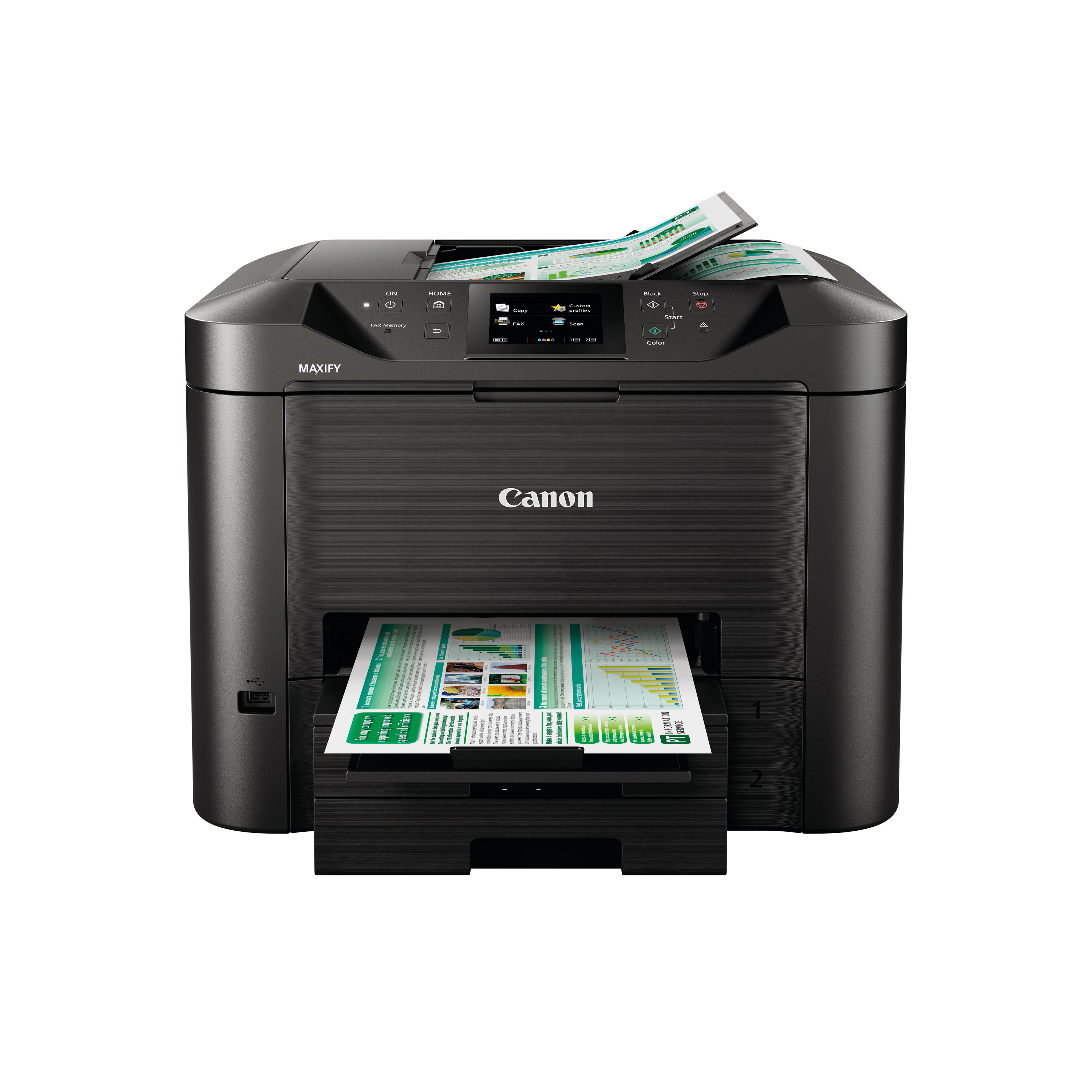
CANON MAXIFY MB5450 INKJET PRINTER
$ 99.47
Description The Canon MAXIFY MB5450 is a versatile all-in-one business inkjet printer designed for small to medium-sized offices and workgroups where productivity, reliability and multifunction capability are essential. Combining fast A4 printing with scanning, copying and faxing in one device, the MB5450 delivers dependable performance backed by Canon’s engineering pedigree. Equipped with a substantial 500-sheet paper capacity and automatic duplex printing, this printer is built to handle high daily workloads and a variety of media types. Its intuitive colour touchscreen and network connectivity options — including Wi-Fi and Ethernet — make it suitable for shared environments, while mobile printing support allows users to send documents directly from smartphones and tablets. With robust support for document workflows and cloud services, the MB5450 helps small businesses streamline tasks and improve efficiency without sacrificing print quality or functionality. Key Features and Benefits All-in-one multifunction capabilityPrint, scan, copy and fax from a single device, helping reduce the need for multiple machines. Fast print speedsProduces up to 24 images per minute in monochrome and up to 15.5 images per minute in colour for efficient task completion. Large paper capacity500-sheet main tray and automatic document feeder (ADF) help reduce paper refills and support uninterrupted jobs. Automatic duplex printingSupports double-sided printing, scanning and copying, saving paper and improving workflow efficiency. Sharp and high-quality outputPrint resolution up to 600 x 1200 dpi delivers clear text and vibrant colour graphics suitable for business documents and presentations. Flexible connectivitySupports Wi-Fi, USB and Ethernet networking, plus compatibility with Apple AirPrint, Mopria and cloud services for convenient mobile and network printing. User-friendly interface8.8 cm colour touchscreen simplifies setup, navigation and operation on the printer itself. Instructions for Use 1. Unboxing and setupRemove the printer from its packaging and take off all protective film and tape. Place the device on a stable, level surface close to a power outlet and your network connection. 2. Loading paperOpen the front paper tray and adjust the paper guides. Load plain A4 paper or compatible media (labels, envelopes) and ensure the stack is correctly aligned. 3. Connecting to power and networkPlug in the power cable and switch on the printer. Connect to your local network via Wi-Fi or Ethernet, or use USB for direct connection to a computer. 4. Install drivers and softwareVisit the official Canon UK support page to download and install the latest drivers and software for your operating system. Follow the on-screen prompts to complete the installation. 5. Using the touchscreenUse the 8.8 cm colour touchscreen to select functions, configure scan settings, set up fax details or launch maintenance tasks. 6. Printing, scanning, copying and faxingFrom your computer or mobile device, select the MB5450 as your chosen printer. Scan or copy documents using the ADF or flatbed glass, and send faxes directly from the touchscreen interface. Comparison Table Feature Canon MAXIFY MB5450 Canon MAXIFY MB5420 Functions Print, scan, copy, fax Print, scan, copy, fax Print speed (mono) Up to 24 ppm Up to ~24 ppm Print speed (colour) Up to 15.5 ppm Up to ~15.5 ppm Print resolution Up to 600 x 1200 dpi Up to similar dpi Paper capacity 500 sheets Similar capacity Automatic duplex Yes Yes Connectivity Wi-Fi, Ethernet, USB Wi-Fi, Ethernet, USB Mobile printing Supported Supported ADF capacity 50 sheets 50 sheets Recommended use Small/Mid office Small office Specification Sheet Print technologyInkjet colour printing technology FunctionsPrint, scan, copy, fax Print speed (mono)Up to 24 images per minute (A4) Print speed (colour)Up to 15.5 images per minute (A4) Print resolutionUp to 600 x 1200 dpi Scan typeFlatbed with single-pass 2-sided ADF scanner Scan resolutionUp to 1200 x 1200 dpi (optical) Copy speed (mono)Up to 22 ppmCopy speed (colour) | Up to 11.5 ppm Automatic duplexYes (print, scan, copy) Fax capabilitySuper G3 colour fax with memory and speed dial support Paper handling500-sheet main tray, 50-sheet ADF Supported paper sizesA4, A5, B5, envelopes and other media ConnectivityWi-Fi IEEE802.11, Ethernet 10/100, USB 2.0 Mobile print supportApple AirPrint, Mopria, cloud printing services Display8.8 cm colour touchscreen Dimensions (W × D × H)Approximately 463 × 394 × 351 mm WeightApprox. 12.9 kg Monthly duty cycleUp to around 30,000 pages per month Frequently Asked Questions Is the Canon MAXIFY MB5450 suitable for a small officeYes, it is designed for business environments with frequent printing, scanning and fax requirements. Can it print double-sided automaticallyYes, automatic duplex printing and scanning are supported. Does it support wireless printingYes, Wi-Fi connectivity and mobile printing support are included. What kinds of documents can it handleIt supports plain paper, envelopes, labels and a range of media types commonly used in daily office work. Does it include fax capabilityYes, colour faxing with Super G3 support is built in. Authoritative External Links Official Canon UK support and product informationhttps://www.canon.co.uk/support Canon UK MAXIFY MB5450 product pagehttps://www.canon.co.uk/printers/inkjet/maxify/maxify_mb5450_series/overview Independent UK printer reviews and buying advicehttps://www.which.co.uk/reviews/printers Summary and Conclusion The Canon MAXIFY MB5450 business printer is a powerful all-in-one inkjet solution tailored for small to medium office environments that need reliable printing, scanning, copying and faxing from a single device. With fast print speeds, automatic duplex capability, large media capacity and flexible connectivity options, it supports productive workflows and efficient document handling. Its combination of performance, ease of use and comprehensive feature set makes it a cost-effective choice for business users seeking a multifunction solution with professional results. https://online.nicheofficesolutions.co.uk/wp-content/uploads/2026/01/Ink-vs.-Toner_-Choosing-the-Right-Solution-for-Your-Printing-Needs.mp4
Related products
-
Pearl Export, Decade Maple, 22″ Powerstroke 3 Coated Bass Drum Logo Head
$ 64.80 Select options This product has multiple variants. The options may be chosen on the product page -
Remo 18″ Powerstroke 3 Clear Bass Drum Heads P3-1318-C2
$ 82.53 Select options This product has multiple variants. The options may be chosen on the product page -
Pearl Masters 20″ Coated Powerstroke 3 Bass Drum Logo Head
$ 62.10 Select options This product has multiple variants. The options may be chosen on the product page
 *In case our email gets quarantined by your email system, please check your spam box