

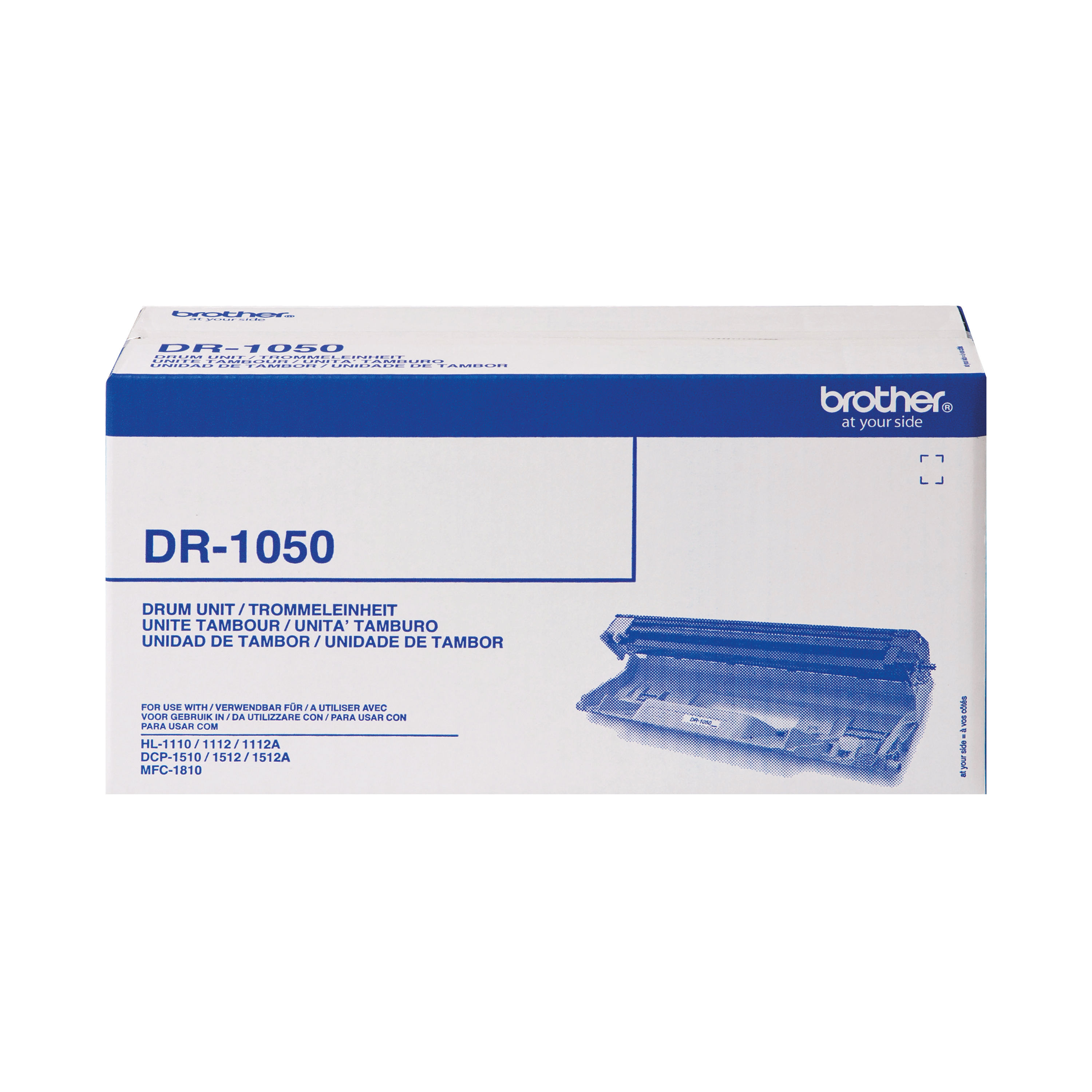
BROTHER DR-1050 DRUM UNIT
$ 74.69
Description The Brother DR-1050 Drum Unit is a genuine imaging component designed to maintain the print quality and reliability of compatible Brother mono laser printers. As a separate consumable from the toner cartridge, the drum unit plays a crucial role in the laser printing process, ensuring sharp text, consistent image transfer and long-term printer performance. Engineered to meet Brother’s manufacturing standards, the DR-1050 is ideal for home offices and small business environments that require dependable monochrome printing. Using an original drum unit helps preserve equipment longevity, reduce print defects and maintain optimal output clarity. Professional Process Explanation In a professional printing environment, the drum unit forms a key part of the laser printing system: 1. Image Formation When a print job is sent, a laser beam projects the page image onto the surface of the drum. The drum is a photosensitive cylinder that receives an electrostatic charge. 2. Toner Attraction Toner particles from the toner cartridge are attracted to the charged areas on the drum surface. 3. Image Transfer The toner image is transferred from the drum onto the paper. 4. Fusing The printer’s fuser unit applies heat and pressure to permanently bond the toner to the paper. 5. Drum Rotation & Cleaning The drum rotates and is cleaned after each page cycle to prepare for the next image. Over time, the drum surface naturally wears. Replacing the Brother DR-1050 ensures continued image precision and prevents issues such as faded prints, streaks or ghosting. Key Features & Benefits Key Features Genuine Brother original drum unit Designed for mono laser printers Separate from toner cartridge High page yield (typically up to 10,000 pages, based on standard coverage) Easy installation process Engineered for compatibility with specific Brother printer models Benefits Consistent Print Quality: Maintains crisp black text and uniform image density. Extended Printer Life: Protects internal components by ensuring proper image transfer. Cost Efficiency: Separate drum and toner system allows independent replacement, reducing long-term costs. Reduced Downtime: Quick installation minimises interruption to office workflows. Manufacturer Assurance: Genuine Brother part ensures performance reliability and compatibility. Instructions for Use Power Off PrinterTurn off the printer and allow it to cool. Open Front CoverCarefully open the printer’s front access panel. Remove Toner & Drum AssemblyPull out the toner and drum assembly unit. Separate Toner CartridgePress the release lever to remove the toner cartridge from the old drum unit. Install Toner into New DrumInsert the toner cartridge into the new Brother DR-1050 drum until it clicks into place. Reinstall AssemblySlide the combined unit back into the printer. Reset Drum CounterFollow the printer’s instructions to reset the drum counter, ensuring accurate page tracking. Close Cover & Test PrintClose the cover, power on the printer and print a test page. Always consult the official user manual for your specific printer model before installation. Comparison Table – Brother DR-1050 vs Alternative Feature Brother DR-1050 Compatible Third-Party Drum Integrated Drum & Toner Cartridge Manufacturer Genuine Brother Third-party supplier Varies by brand Print Quality Manufacturer standard Variable Manufacturer standard Page Yield Up to 10,000 pages Varies Varies Warranty Protection Maintains warranty compliance May affect warranty Manufacturer compliant Reliability High Inconsistent High Long-Term Cost Cost-efficient (separate consumables) Lower upfront Higher ongoing cost Summary:The Brother DR-1050 ensures consistent performance and protects printer longevity, whereas third-party alternatives may vary in quality and reliability. Specification Sheet Product Name: Brother DR-1050 Drum UnitType: Imaging Drum UnitTechnology: LaserPrint Colour: Monochrome (Black)Page Yield: Approx. 10,000 pages (based on 1 page per job)Compatibility: Selected Brother mono laser printers (refer to compatibility list)Installation Type: User-replaceableOperating Temperature: As per printer specificationsStorage Conditions: Cool, dry environment away from direct sunlightPackaging: Retail boxed genuine Brother product For complete compatibility details, consult Brother’s official documentation. Frequently Asked Questions What is the difference between toner and drum?The toner contains the powder used to print text, while the drum transfers the toner image onto the paper. How often should the DR-1050 be replaced?Typically after approximately 10,000 pages, depending on usage patterns. Can I use a third-party drum unit?While possible, using genuine Brother consumables ensures optimal performance and maintains warranty compliance. How do I know when to replace the drum?Your printer will display a “Replace Drum” message when the unit reaches its estimated life. Where can I check compatibility?Compatibility details are available on Brother’s official support website. Authoritative External Hyperlinks Brother Official UK Website Brother Support & Downloads Which? Guide to Printer Running Costs Energy Saving Trust – Office Equipment Advice Summary & Conclusion The Brother DR-1050 Drum Unit is an essential component for maintaining the performance and print quality of compatible Brother mono laser printers. By replacing the drum at recommended intervals, users can ensure crisp text, consistent output and long-term printer reliability. Designed for straightforward installation and dependable operation, the DR-1050 offers cost-effective consumable management through Brother’s separate drum and toner system. For businesses and home offices seeking consistent monochrome printing performance, the Brother DR-1050 remains a practical and reliable choice. Essential Office Accessories https://online.nicheofficesolutions.co.uk/wp-content/uploads/2025/07/The-Evolution-of-Printer-Supplies_-Smarter-Solutions-for-Modern-Offices.mp4 See our full selection: https://www.nicheofficesolutions.co.uk/it-supplies-manchester/ https://www.nicheofficesolutions.co.uk/it-supplies-leeds/ https://www.nicheofficesolutions.co.uk/office-supplies-liverpool/ https://www.nicheofficesolutions.co.uk/office-supplies-sheffield/ For procurement details, bulk purchasing, and further product information, contact our team today on 01274 965089. Further information can be found on our blog page: https://www.nicheofficesolutions.co.uk/news-niche/ View our Office YouTube videos https://www.youtube.com/@nicheofficesolutionsltd9953 If you have any additional questions, drop us an email at [email protected]
Related products
-
Powerstroke 3 22″ Coated Bass Drumhead P3-1122-BP
$ 62.99 Select options This product has multiple variants. The options may be chosen on the product page -
Remo 18″ Powerstroke 3 Clear Bass Drum Heads P3-1318-C2
$ 82.53 Select options This product has multiple variants. The options may be chosen on the product page -
Remo 16″ Fiberskyn 3 Ambassador Bass Drum Head FA-1516-00
$ 76.23 Select options This product has multiple variants. The options may be chosen on the product page
 *In case our email gets quarantined by your email system, please check your spam box